
How to save and share what you made
On the results screen, Save all writes every clip to your phone's gallery and Share all opens the Android share sheet with all of them attached — pick WhatsApp and post them to your Status. Each clip also has its own save, share and delete buttons.
Nothing is written to your gallery until you say so. Everything sits in the app's own temporary space until you save or share it, which keeps failed experiments out of your camera roll.
Step by step
Check the results
When an export finishes you get one card per clip, with a preview thumbnail, its length, and its status.
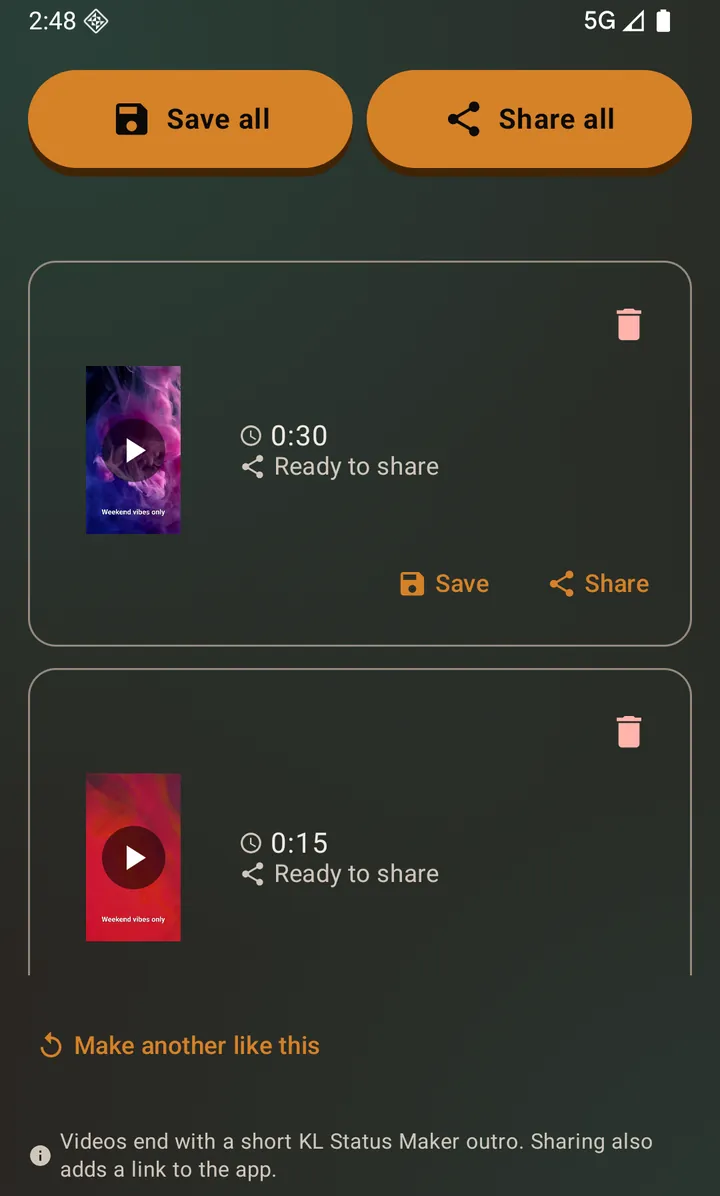
Two clips ready. Save all and Share all sit at the top. Play it before you keep it
Tap a clip's thumbnail to play it in place, on the results screen, without leaving for another app. A photo opens full size the same way.
Save all, or save one
Save all writes everything into your gallery, where any other app can see it. Each card also carries its own Save button for that one file.
Share
Share all opens the Android share sheet with every clip attached. Pick WhatsApp and post them to your Status, or send them to Instagram, YouTube, Telegram, email — anything installed.
Delete what you do not want
The bin icon removes a clip you have decided against, before it ever reaches your gallery. It is undoable: the card goes and a Deleted · Undo bar appears, so a mis-tap costs nothing.
Posting several clips to WhatsApp Status
WhatsApp posts each clip as its own Status entry, played in order. Sharing them all at once keeps that order, which matters when the clips are halves of the same moment. If you would rather space them out, save them all and post them one at a time from your gallery.
Questions about this
Where do saved files go?
Into your phone's normal gallery, so the Photos app and every other app can see them. On Android 10 and later that needs no permission at all. On Android 7 to 9 the app asks once for storage access, because older Android has no way for an app to reach even its own saved files without it.
Can I share without saving first?
Yes. Sharing works straight from the results screen; saving is a separate choice.
What is the small app badge on my exports?
Free exports carry a short branded ending on videos, a small watermark on photos, and a link to the app added to the text when you share. The results screen names all three before you save, and the line it says them on has a button that removes them. All three disappear with the optional subscription, and also while you are holding unused AI credits.
Can I get the clips back if I leave the results screen?
Anything you saved is in your gallery and in the app's own Gallery screen. Anything you did not save is discarded, but leaving is not a silent loss: the app asks Leave without saving? first, and you can go back and save.
Also searched for as: post to whatsapp status, share to instagram, save video to gallery