
How to add background music to a video
Open the video editor with the pencil button and go to the Music tab, which opens on its sources under Add background music from. The track is mixed under the video's existing audio, and you get one volume slider for each so you can balance them — plus a fade in and out, and an Auto duck switch that lowers the music whenever someone is speaking.
The difference between this and replacing the audio is the whole point: Replace throws the original soundtrack away, Music keeps it and puts a song underneath. If people are talking in your video and you want them to stay audible, this is the one you want.
Step by step
Open the video editor
Pick your video, then tap the pencil button on the preview.
Go to the Music tab
It is the Music tab, sixth in the row. The panel explains the distinction from Replace right there on screen.
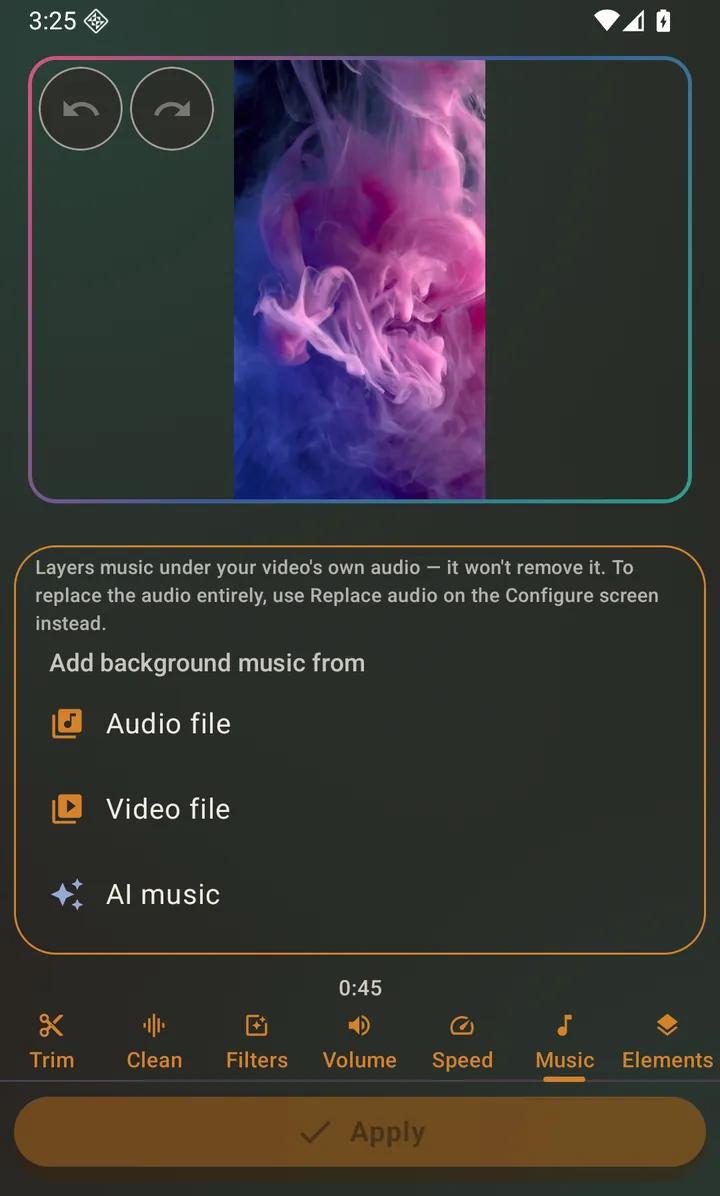
The Music tab, before a track is attached. Pick a track
The Music tab opens straight onto its sources, under Add background music from — choose any audio file on your phone, pull the sound out of a video, or make a track with AI.
Balance the two volumes
Two independent sliders appear: one for the video's own audio, one for the music. Drop the music well below the voices if there is speech — or switch on Auto duck and let it do that only while someone is talking. A Fade in and out dropdown stops the track starting and ending abruptly.
Apply
Tap Apply to render. The mixed audio is baked into the video, so it survives being split, cropped and shared afterwards.
Questions about this
What if the song is shorter than the video?
The background track loops to cover the video.
Can I add music to a photo slideshow instead?
Yes, and it is a different control: the photo flow has its own Audio tab for attaching a background track to the whole slideshow.
Does the app supply the music?
Both are possible. It can use any audio file already on your device — check that you have the right to use a track before posting it publicly — or it can generate a track for you with AI, which is written for you rather than taken from a library.
Also searched for as: add song to video, background music, mix music with video